תיקון דלת אחורית של הרחבת הדפדפן של ShadyPanda באמצעות MetaDefender Endpoint
תוספי דפדפן נראים לעתים קרובות בלתי מזיקים לרוב המשתמשים, מה שמוביל להתקנתם ללא ספק רב לגבי אבטחתם. זה נכון במיוחד לגבי אלו המוצגים ומאומתים על ידי הדפדפן עצמו, כמו גוגל כרום. לאחר ההתקנה, תוספים כאלה עשויים לקבל הרשאה לקרוא כמעט כל דבר שהמשתמש רואה, כולל דוא"ל, נתוני סשן, סיסמאות, הקשות מקשים וכלים פנימיים, שתוקפים בדרך כלל שואפים לנצל.
כאשר גורם האיום, המכונה ShadyPanda , פרץ דלת אחורית לתוספי דפדפן פופולריים שהותקנו ביותר מ-4,000,000 מכשירים, הדבר הוכיח שוב כמה קל לתוקפים להסתתר בתוך וקטור התקיפה של תוספי דפדפן, שלעתים קרובות מתעלמים ממנו.
ההתקפה של ShadyPanda לא הייתה הראשונה מסוגה
מתקפת ShadyPanda רחוקה מלהיות מקרה בודד. בשנים האחרונות צפו מספר ניצול משמעותי של תוספי דפדפן:
- בשנת 2025, חוקרים חשפו קמפיין של 18 תוספים זדוניים שעקבו אחר התנהגות משתמשים בדפדפני Chrome ו-Edge.
- בשנת 2023, PDF Toolbox , תוסף לכרום שהגיע ליותר מ-2 מיליון הורדות, הצליח להחדיר קוד שרירותי לכל דף שמשתמשים ביקרו בו.
- בשנת 2019, דליפת הנתונים של DataSpii , עם תוספים כמו Hover Zoom ו-SpeakIt, כללה איסוף וחשיפה של מידע אישי של משתמשים, כולל פעילות גלישה ונתונים מזהים אחרים.
- בשנת 2017, Archive Poster , תוסף Chrome שהכיל קוד לכריית מטבעות קריפטוגרפיים בתוך קוד המקור שלו.
- בשנת 2017, Web Developer for Chrome , כלי פופולרי עם למעלה ממיליון משתמשים, נפרץ כדי להחדיר פרסומות ולבצע התקפות פישינג.
מדוע מתקפות על תוספי דפדפן ממשיכות להתרחש
הרחבות דפדפן ממשיכות להיות וקטור התקפה פופולרי בגלל מספר גורמים:
- עדכון אוטומטי: תוספים יכולים להתעדכן באופן אוטומטי ללא התערבות המשתמש. אם חשבון מפתח נפרץ או קוד זדוני מוכנס לעדכון, מיליוני משתמשים עלולים להיחשף באופן מיידי.
- הרשאות גבוהות, ביקורת מועטה: הרחבות דורשות לעתים קרובות הרשאות רחבות, כולל קריאה ושינוי תוכן אתר, גישה לפעילות גלישה או אינטראקציה עם קבצים.
- חוסר ניטור: ארגונים רבים אינם עוקבים אחר הרחבות העובדים מתקינים, אילו הרשאות הם מבקשים, או האם עדכונים מציגים איומים חדשים.
- אמון המשתמשים מנוצל בקלות: משתמשים מניחים לעתים קרובות שהתוספים בטוחים אם הם מגיעים מחנות דפדפן, במיוחד כאשר הם מאומתים או מוצגים.
- הסתמכות על דירוגים על פני אבטחה: משתמשים רבים מתקינים תוספים המבוססים אך ורק על פופולריות או ביקורות, ומעניקים אישור מבלי להבין במלואם את הסיכונים.
למה זה חשוב
הרחבות דפדפן הפכו לאחד מוקטורי התקיפה הנפוצים והקלים ביותר לניצול. תוקפים אינם זקוקים לתוכנות זדוניות מוסוות או לטכניקות מורכבות כדי לחדור למכשיר של משתמש. לחיצה אחת של משתמש על "הוסף לכרום" מספיקה כדי לפתוח נתיב ישיר לדפדפן ולכל מה שהוא יכול לגשת אליו, מה שמקל על ניצול מיליוני מכשירים לפני שמישהו ישים לב.
לאחר התקנת תוסף דפדפן זדוני, הוא יכול:
- לכידת נתוני גלישה, פרטי גישה, קובצי Cookie וטוקנים של סשן
- הקלטת הקשות מקלדת, חשיפת סיסמאות, הודעות וקלטים סודיים
- קריאה וגניבת מסמכים ארגוניים, נתונים רגישים ומידע מזהה
- החדרת תוכנות ריגול או סקריפטים זדוניים לכל אתר אינטרנט שמשתמש מבקר בו
- צור נתיבי תקיפה חדשים לשירותי ענן ויישומים רגישים
- הורדת תוכנות זדוניות נוספות ברקע ללא הסכמת המשתמש
- השתלטות על חשבונות
- הפנה תנועה לאתרים זדוניים שמורידים אוטומטית תוכנות זדוניות או משתמשים בהנדסה חברתית
- טען דלתות אחוריות
ארגונים אינם יכולים להסתמך על משתמשים או על מאגרי דפדפנים כדי לחסום את האיומים הללו. הם זקוקים לבדיקות אוטומטיות ונכפות בנקודת הקצה.
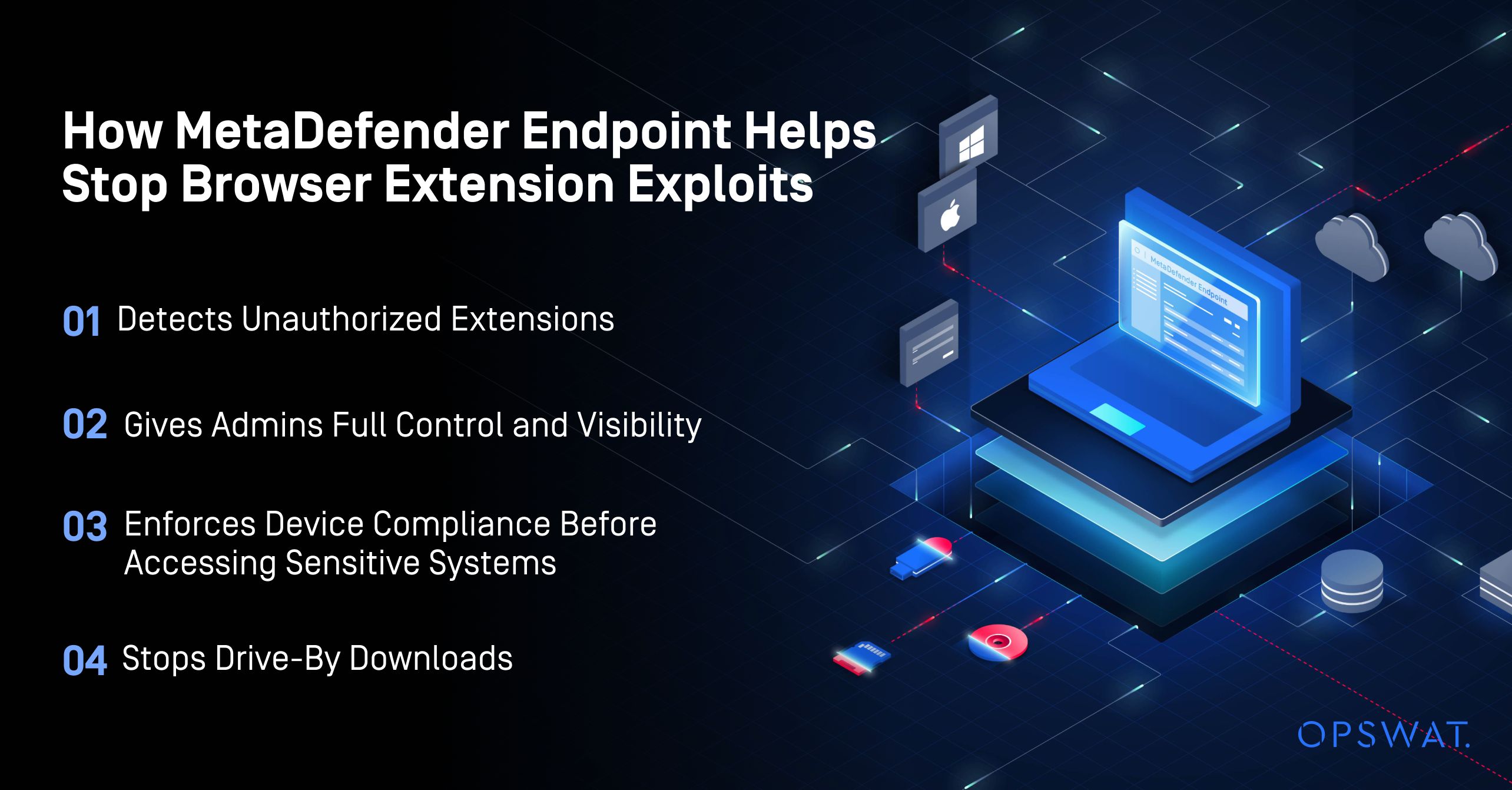
אֵיך MetaDefender Endpoint מסייע לעצור ניצול תוספי דפדפן
MetaDefender Endpoint מאפשר לארגונים לנהל ולשלוט בהרחבות דפדפן באותו אופן בו הם מנהלים ושולטים ביישומים ו USB מכשירים.
1. מזהה הרחבות לא מורשות
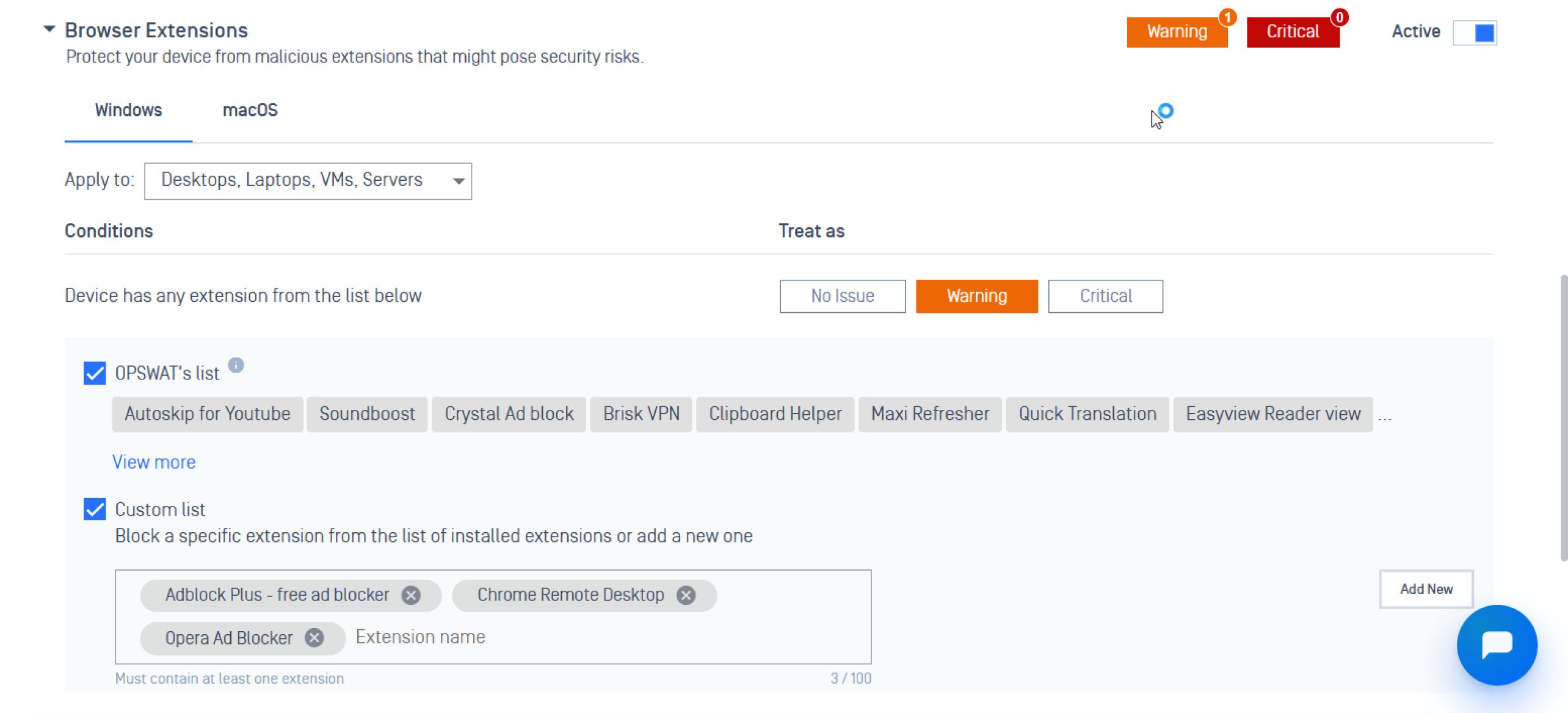
MetaDefender Endpoint סורק תוספים מותקנים ומאמת אותם מול רשימת ההיתרים שלך ומסמן כל התקנה חשודה. זה מבטיח שמכשירים עם תוספים לא מורשים מסומנים כלא תואמים וייחסמו מגישה למערכות קריטיות.
2. מעניק למנהלים שליטה ונראות מלאות
עִם My OPSWAT™ Central Management צוותי אבטחה יכולים לקבל פיקוח על כל ההרחבות המותקנות במכשירים שונים, תוך ביטול נקודות מתות ומאפשר תיקון מהיר על ידי:
- ניהול והתאמה אישית של רשימת היתרים לתוספי דפדפן
- ניטור מה שהתקין כל משתמש או מכשיר
- ניטור כמה מכשירים התקינו תוסף ספציפי עם הגרסאות המותקנות
- קבלת תובנות לגבי המכשירים הנמצאים בסיכון ואילו מדיניות הופרו
3. אוכף תאימות מכשירים לפני גישה למערכות רגישות
MetaDefender Endpoint בודק באופן פעיל את מצב האבטחה ואת סטטוס התאימות של המכשיר, וחוסם נקודות קצה שאינן תואמות או פגועות מלהתחבר לרשתות קריטיות.
4. עצירות Drive -על ידי הורדות
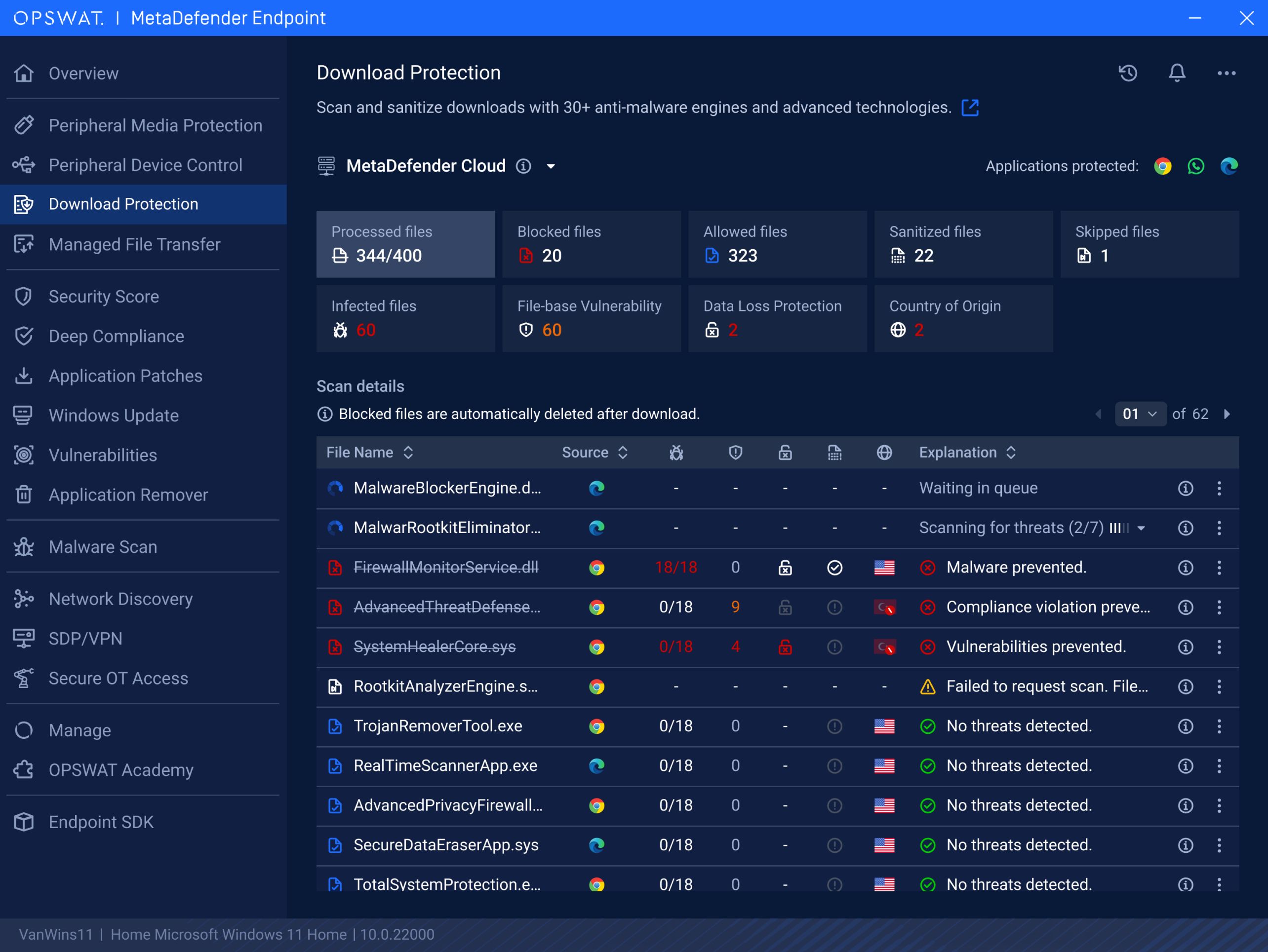
אם תוסף זדוני מפנה משתמשים לאתרים מזיקים שמפעילים הורדות אוטומטיות, MetaDefender Endpoint תכונת ההגנת הורדות של מוסיפה אמצעי הגנה חיוני למניעת זאת. היא סורקת ומחטאת באופן פעיל קבצים שהורדו דרך דפדפני אינטרנט ויישומים, כגון Google Chrome, Microsoft Edge ו-WhatsApp, וחוסמת קבצים נגועים לפני שהם מגיעים למכשיר.
מחשבות אחרונות
הרחבות דפדפן זדוניות הפכו לווקטור תקיפה מתמשך, ותקרית ShadyPanda היא תזכורת לכך לאחרונה. MetaDefender Endpoint מסייע לארגונים לסגור את הפער הזה על ידי אכיפת מדיניות הרחבה, מתן ניהול מרכזי ומניעת גישה של מכשירים לא בטוחים למערכות רגישות.
דברו עם אחד המומחים שלנו עוד היום כדי לראות איך MetaDefender Endpoint יכול להגן על המערכות הקריטיות שלך.